Google Gemini Omni Flash: The Complete Guide to Prompt-Based Video Editing and Multimodal Consistency
Written by Video Director at DX Builder • Updated on May 29, 2026
Summary / TL;DR: Gemini Omni Flash allows for granular video editing through natural language prompts, enabling the replacement of subjects and objects with high temporal consistency. Integration with advanced rendering engines in DX Builder elevates native 720p resolution to professional 4K standards.
What is Google Gemini Omni Flash?
Gemini Omni Flash is defined as a low-latency, high-efficiency multimodal artificial intelligence model specifically designed to process and generate modifications in existing video streams based on textual instructions or visual cross-references. Unlike traditional generative models that create videos from scratch, Omni Flash stands out for its spatial and temporal understanding, allowing editors to modify specific elements within a frame without compromising the integrity of camera movement or the global lighting of the scene.
According to the Video Director of DX Builder: "The true technological leap of Gemini Omni Flash isn't just in generation, but in semantic video understanding. It identifies the volumetry of a moving object and can map new textures and models onto that trajectory, something that previously required hours of manual rotoscoping and compositing in traditional post-production software.".
The New Era of Subject Replacement in Video
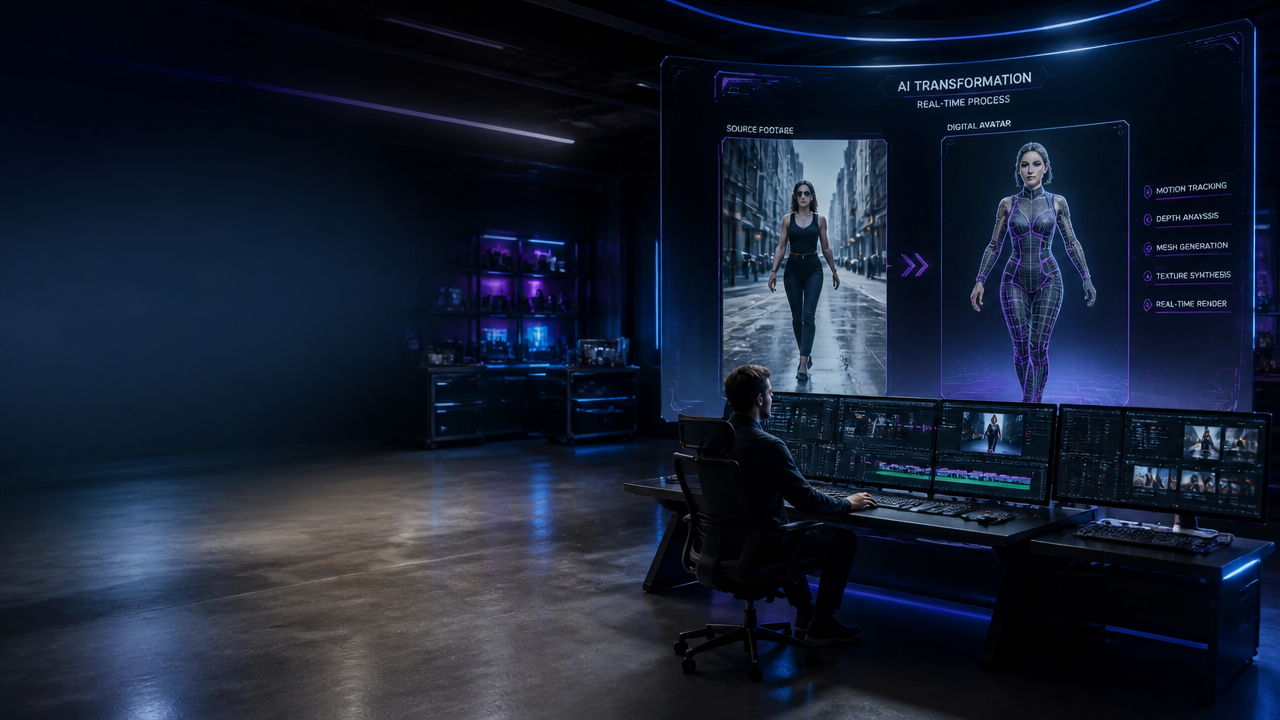
One of the most powerful applications tested in our labs involves complete character replacement while maintaining the original movement choreography. By uploading a reference video and a static image of a new character, the model is capable of performing 're-targeting' of actions. For example, by taking a video of a person walking in an urban setting and providing a reference image of a model with specific clothing (such as a green silk dress), the AI reconstructs every frame, adjusting the fabric drape and hair physics according to the speed of the original step.
To achieve the best results in this task, it is essential to provide the AI with multiple perspectives of the new subject. In the DX Builder image generator workflow, we recommend creating a reference 'sheet' with front, side, and rear angles before injecting the asset into the video engine.
Technical Generation Parameters
- Base Model: Gemini Omni Flash (integrated into the Google Flow ecosystem).
- Aspect Ratio: Native support for 9:16 (vertical for social media) and 16:9 (cinematic).
- Output Resolution: Native 720p, with optional upscaling via DX Builder Video Engine to 1080p and 4K.
- Frame Rate: Stabilization at 24fps or 30fps to maintain a natural look.
High-Speed Object Replacement
The acid test for any video AI is fast motion. Replacing a high-speed sports car with a classic model, like a Beetle, requires the AI to understand motion blur and perspective deformation. Gemini Omni Flash demonstrates a unique ability to maintain environmental reflections on the new object, making the insertion feel not like a 'sticker' over the video, but like an element belonging to that three-dimensional space.
| Performance Metric | Traditional Method (VFX) | Gemini Omni Flash + DX Builder |
|---|---|---|
| Processing Time | 12-24 hours | 45-90 seconds |
| Tracking Necessity | Manual / Point-to-Point | Automatic via Semantic AI |
| Reflection Consistency | Ray Tracing Rendering | Neural Generative Estimation |
| Estimated Cost (per scene) | High (VFX Team) | Low (Based on Credits/Tokens) |
Example Prompt for Car Replacement:
Prompt: "Replace the fast-moving vehicle with a classic blue Volkswagen Beetle, maintain the sunset reflections on the bodywork, and preserve the motion blur of the spinning wheels."
Multimodal Creation: Merging Images and Environments
In addition to editing existing videos, the model allows for the fusion of two or more static images to generate a dynamic narrative. In DX Builder, we call this Amalgamation Synthesis. If you have an image of a paradise bungalow and an image of a person sitting, the AI doesn't just overlay the two, but interprets how the person would behave in that environment, adding subtle breathing movements, a steady gaze at the horizon, and the interaction of the breeze with the clothes.
To elevate the quality of these creations, it is possible to integrate our audio engine to generate synchronized environmental sounds, such as the sound of waves or the wind in the trees, creating a complete immersive experience starting from static assets.
Applications in Architecture and Real Estate
A revolutionary use case is the insertion of architectural elements into drone footage. Imagine capturing a vacant lot with a drone and, via prompt, requesting the insertion of an amusement park or a modern residential building. Gemini Omni Flash respects the camera's parallax movement, ensuring that the inserted object maintains the correct scale and position relative to the lawn and neighboring trees.
For architects, this allows for the creation of high-impact presentations where the professional 'steps into' the project. Using our visual storytelling tool, it is possible to create scripts where an architect presents the facade of a house that doesn't physically exist yet, with AI-generated lip-sync and absolute visual consistency between the presenter and the digital scenery.
Current Limitations and How to Overcome Them
Although powerful, Omni Flash still presents challenges, such as a native resolution limited to 720p and an occasionally "plastic" skin texture. To mitigate these issues, we recommend:
- Post-Processing: Use film grain filters to break up the excessive digital look.
- Upscaling: Use the DX Builder high-fidelity engine to reconstruct details lost during Gemini's compression.
- Prompt Refinement: If the AI generates artifacts (like a camera appearing in a reflection), use negative prompts or specific removal commands by timestamp (e.g., "remove strange object between 0:04 and 0:06").
Frequently Asked Questions (FAQ)
Does Gemini Omni Flash replace the traditional video editor?
No, it acts as an ultra-fast VFX assistant. It eliminates the tedious tasks of rotoscoping and object replacement, allowing the editor to focus on the narrative and the emotional rhythm of the piece.
What file formats are supported for import?
The system accepts all major modern codecs (MP4, MOV, WebM). To ensure maximum fidelity in replacements, we recommend videos with a bitrate above 20Mbps.
Is programming knowledge required to use the model in DX Builder?
Absolutely not. The DX Builder interface is designed to be intuitive, transforming complex prompts into video engineering commands transparently for the end-user, whether through our video tab or composition tools.